
Home / Bomb Blocks / Support
Bomb Blocks
Support
Get Bomb Blocks: Chain Blast
Legal: Privacy Policy & Terms of Use · EULA
Questions, problems or ideas? We usually reply within 1–2 business days.
Please include your device model (iPhone or Android phone), its iOS or Android version and a short description of what happened.
Frequently asked questions
How do I play?
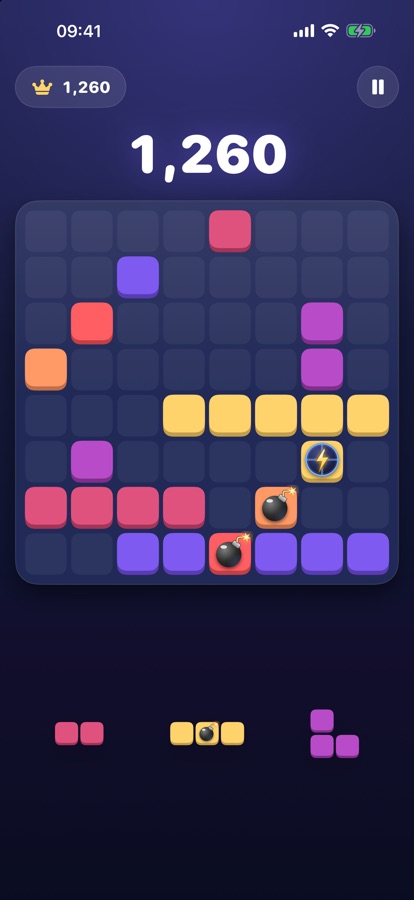
Drag one of the three pieces at the bottom onto the board. A full row or column clears. Special blocks fire when they are cleared and can start chain reactions. The game ends when none of your pieces fit.
What do the special blocks do?
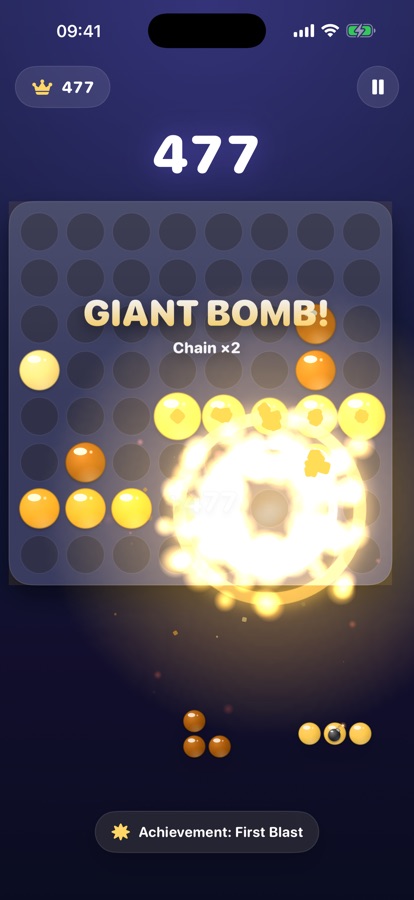
Bomb clears the 3×3 area around it. Lightning clears its row and column. Rainbow clears a colour. Diagonal clears both diagonals. Nova clears a diamond-shaped area. Tsunami clears three rows. Gold gives bonus points when cleared. Combining specials in a chain makes bigger blasts and a higher score multiplier.
How do I get a swap right?
When the game is over, tap Try Again. A rewarded video is shown and, once you finish watching it, you earn one swap right for the next game. You also earn one by finishing all three daily quests, and for every third day in a row that you play. A right lets you replace one of your pieces and can be used once. If you close the video early, no right is given.
What are daily quests, streaks and achievements?
Every day there are three quests (for example, clear a number of rows or set off a number of bombs). Open Quests on the main menu to see your progress, your streak and your achievements. All of this is saved on your device.
Where does my name and picture on the score board come from?
On iOS they come from Game Center. Tap Best Score on the main menu and then Sign in to Game Center. If the sign-in window does not appear, sign in under iOS Settings → Game Center. To change your Game Center name or picture, use your Game Center profile in iOS Settings. If you are not signed in, the score board shows a generic avatar and the name "Player".
I see "Connection Error".
Bomb Blocks needs an internet connection. Check your Wi-Fi or mobile data and tap Try Again. If you lose the connection during a game, your game is saved and you can continue after reconnecting.
The ad doesn't load.
Ads can be unavailable for a moment. Check your connection and try again after a few seconds. No reward is given unless the video is completed.
How do I change my ad privacy choices?
If you're in the EEA, the UK or Switzerland, use the privacy choices in the game's settings. Everywhere, you can also limit ad tracking on your device: on iOS under Settings → Privacy & Security → Tracking, on Android under Settings → Google → Ads (or Settings → Privacy → Ads).
My best score or swap right is gone.
These are saved on your device, so we can't restore them after the app is deleted. If your device backup is on (iCloud Backup on iOS, Google backup on Android), they may come back when you set up a new device from that backup.
Terms and privacy
Use of the app is governed by the Terms of Use in our Privacy Policy and, on iOS, by Apple's Standard EULA. How we handle data is described in the Privacy Policy.
Bomb Blocks: Zincir Patlama — Destek
Bir sorun mu yaşıyorsunuz ya da bir öneriniz mi var? Genellikle 1–2 iş günü içinde dönüş yapıyoruz.
Lütfen cihaz modelinizi (iPhone ya da Android telefon), iOS veya Android sürümünüzü ve ne olduğunu kısaca yazın.
Sık sorulan sorular
Nasıl oynanır?
Alttaki üç parçadan birini tahtaya sürükleyin. Dolan satır veya sütun temizlenir. Özel bloklar temizlendiklerinde patlar ve zincirleme tepki başlatabilir. Parçalarınızdan hiçbiri sığmadığında oyun biter.
Özel bloklar ne yapar?
Bomba çevresindeki 3×3 alanı, Yıldırım satır ve sütunu, Gökkuşağı bir rengi, Çapraz iki köşegeni, Nova elmas biçimli bir alanı, Tsunami üç satırı temizler. Altın blok temizlenince ekstra puan verir. Özel blokları zincirde birleştirmek daha büyük patlamalar ve daha yüksek puan çarpanı sağlar.
Blok değiştirme hakkını nasıl kazanırım?
Oyun bitince Tekrar Dene'ye dokunun. Ödüllü bir video gösterilir ve izlemeyi bitirdiğinizde sonraki oyun için bir blok değiştirme hakkı kazanırsınız. Ayrıca günün üç görevini de bitirince ve üst üste her üçüncü oyun gününde bir hak kazanırsınız. Hak, parçalarınızdan birini değiştirmenizi sağlar ve bir kez kullanılabilir. Videoyu erken kapatırsanız hak verilmez.
Günlük görevler, seri ve başarımlar nedir?
Her gün üç görev vardır (örneğin belirli sayıda satır temizlemek ya da bomba patlatmak). İlerlemenizi, serinizi ve başarımlarınızı görmek için ana menüde Görevler'i açın. Bunların hepsi cihazınızda saklanır.
Skor tablosundaki adım ve resmim nereden geliyor?
iOS'ta Game Center'dan gelir. Ana menüde En İyi Skor'a, ardından Game Center'a Giriş Yap'a dokunun. Giriş penceresi açılmazsa iOS Ayarlar → Game Center'dan giriş yapın. Game Center adınızı ya da resminizi değiştirmek için iOS Ayarlar'daki Game Center profilinizi kullanın. Giriş yapmadıysanız skor tablosunda genel bir avatar ve "Oyuncu" adı görünür.
"Bağlantı Hatası" görüyorum.
Bomb Blocks internet bağlantısı gerektirir. Wi-Fi'nizi veya mobil verinizi kontrol edip Tekrar Dene'ye dokunun. Oyun sırasında bağlantı kesilirse oyununuz kaydedilir ve bağlandıktan sonra devam edebilirsiniz.
Reklam yüklenmiyor.
Reklamlar bir süre kullanılamayabilir. Bağlantınızı kontrol edip birkaç saniye sonra tekrar deneyin. Video tamamlanmadıkça ödül verilmez.
Reklam gizlilik tercihlerimi nasıl değiştiririm?
Avrupa Ekonomik Alanı, Birleşik Krallık veya İsviçre'deyseniz oyunun ayarlarındaki gizlilik tercihlerini kullanın. Her yerde, reklam takibini cihazınızdan da sınırlayabilirsiniz: iOS'ta Ayarlar → Gizlilik ve Güvenlik → Takip, Android'de Ayarlar → Google → Reklamlar (ya da Ayarlar → Gizlilik → Reklamlar).
En iyi skorum veya değiştirme hakkım kayboldu.
Bunlar cihazınızda saklanır; bu yüzden uygulama silinince biz geri getiremeyiz. Cihaz yedeklemeniz açıksa (iOS'ta iCloud Yedekleme, Android'de Google yedeği) yeni cihazı bu yedekten kurduğunuzda geri gelebilir.
Koşullar ve gizlilik
Uygulamanın kullanımı, Gizlilik Politikamızdaki Kullanım Koşulları'na ve iOS'ta ayrıca Apple'ın Standart EULA'sına tabidir. Verilerin nasıl işlendiği Gizlilik Politikası'nda anlatılır.